Obsidian Radar
Somente disponível em Inglês, Português.
 Inglês
 Português
4 min
As a CTO, the amount of topics that I need to pay attention to is always overwhelming. I start my week with a clear plan for focus, already knowing that unexpected topics will inevitably derail it. And it's very likely you experience the same, especially now that everyone is expected to deliver more with less. Let me tell you how I'm working to cope better with this reality.
I've always liked the radar visual because it conveys priority in such a quick way to understand: blips close to the center indicate objects that are closer to you. Furthermore, it allows you to not lose sight from distant objects as well. They might not be a threat at the moment, but will be if they get closer.
 Sailor, Us navy, Radar technician image. Free for use.
The analogy maps naturally to knowledge work: just replace threats with topics and directions with categories and you have a great focus tool. All it takes is a quick glance at the radar and you have a complete picture of what you should be focusing on and what might become a priority one day. Nothing new or fancy, but very useful. Maybe the most famous radar example in the tech world is the Thoughtworks Technology Radar, that uses the same logic but applied to adoption of best practices and tools.
I used to build these radars using diagramming tools or directly on whiteboards using post-its, for example, my new-year resolution notes are all called "Radar 202x" because they follow that prioritization structure, but I wanted a way to build them but keep the connection between radar blips and the data that describe them. Since I'm using Obsidian for more than 6 years, I've decided to write a plugin to build radars using my notes.
Meet Obsidian Radar:
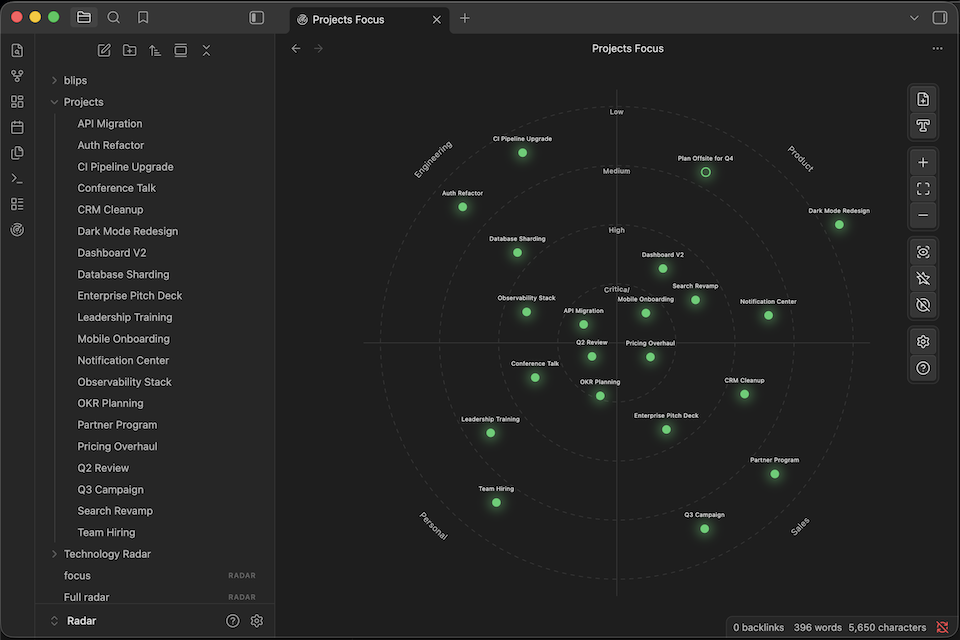
If you are an Obsidian user, you can install it to create radars from your notes, just drag them from the sidebar or using the command palette or toolbar. You can customize everything, the priority levels, categories, blip sizes and colors. Check a complete list of features in the README file.
And because I'm a huge disciple of the File over App philosophy, I've created an open format, called JSON Radar, very much inspired by JSON Canvas, a canvas format created by the Obsidian team and available to create more visual notes. So, if one day you get tired of Obsidian and want to move your files to another tool, radar files are a single JSON file with a well documented structure and you can render a visualization from it very easily, you can even read it.
Despite Markdown becoming a very popular format to work with agents, let's admit that is not always the easiest to consume (as a human reader), especially when the inference output is long. Andrej Karpathy recently tweeted about exploring more expressive and visual formats for your Gen AI outputs to ease the understanding.
If you are still thinking "Why would I care about this open radar format?", I can explain. An open and documented format enables your AI agents to read, create and modify radars from your prompts. All you need to do that is to install the /obsidian-radar skill.
The sample radar above was created with the following prompt:
/obsidian-radarCreate a Radar file to prioritize my projects, available in the@Projects/folder. The categories I want are Engineering, Marketing, Backoffice and Product. For each note and based on their content, create a blip, put them on the right quadrant and suggest a priority level. Create the file asProject Focus.radar.
Because the specification of a radar file explains clearly how the JSON file is structured, an agent can work well with radar visualizations.
To wrap up, here's a fun experiment trying to reproduce digitally a radar that I drew by hand on paper:
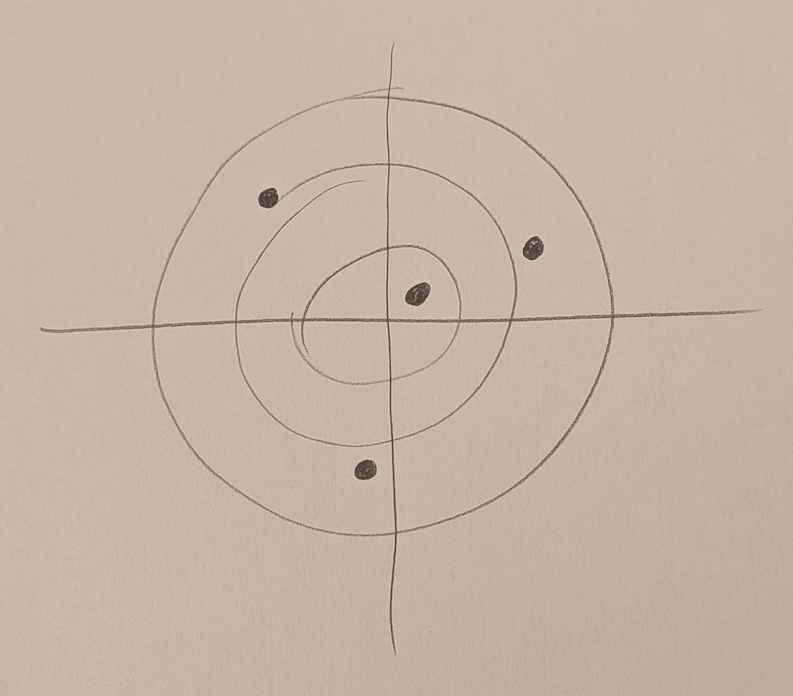
This was the prompt:
/obsidian-radarLook at the image attached and create a radar using the skill, keep the position of the blips in the same position as the drawing, also replicate the number of priority levels and categories. Give random names to the blips and create them as text blips.[Image #1]
And the resulting radar file:
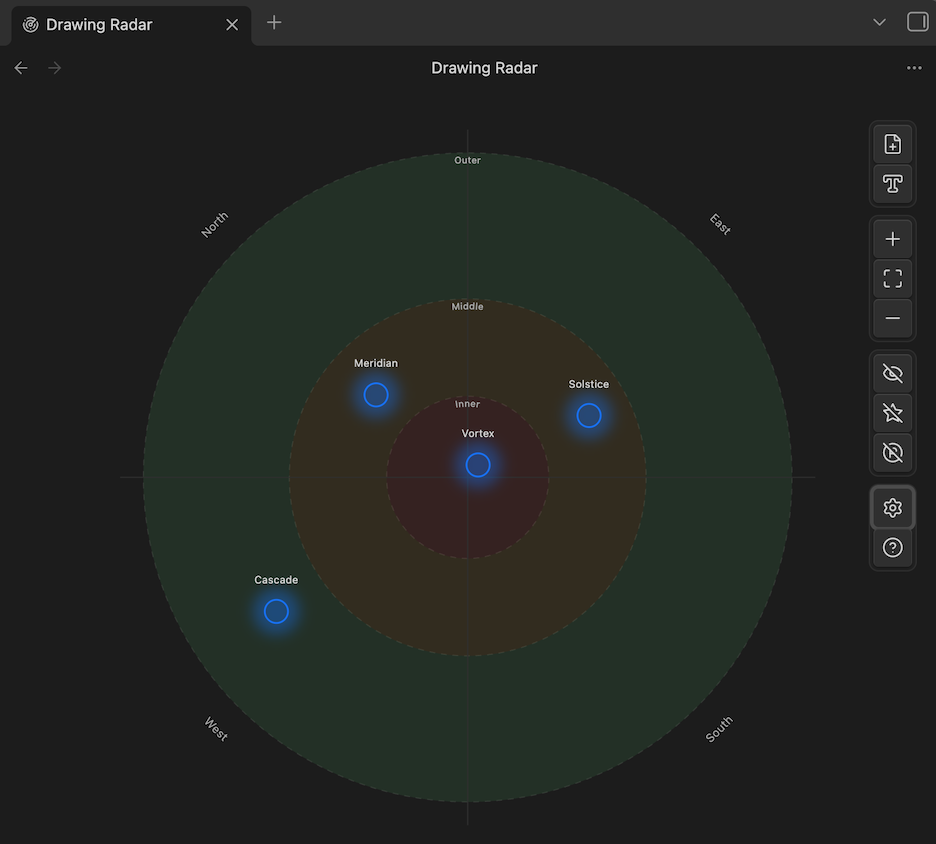
It's not a perfect copy, but got very close. I believe that with a better prompt it can get there. Give it a try and let me know what you build!
- Radar Plugin community page
- Source Code on Github
- Install the skill:
npx skills add lfcipriani/obsidian-radar - Report bugs and request features on Github